
Upgrading your Ubuntu-on-Windows install to the app version

Canonical
on 3 August 2017
Our team and Microsoft recently released Ubuntu as a Windows app store application! 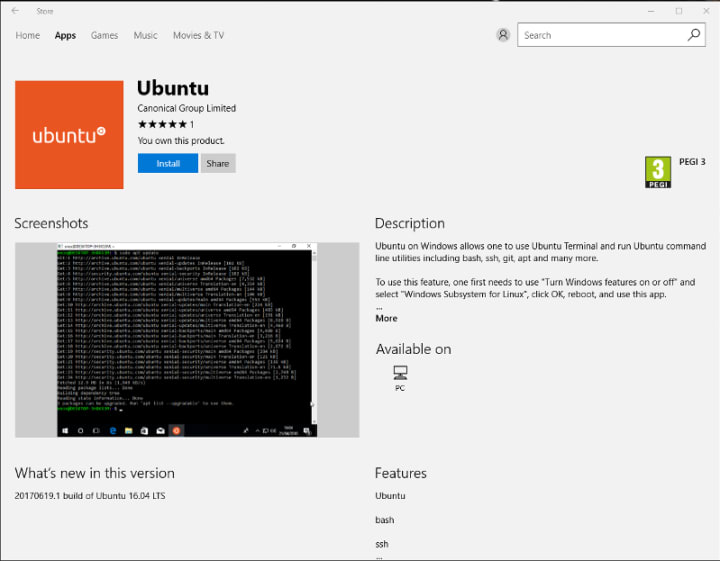 If you toyed with the “bash on Ubuntu on Windows” version before and would like to try the latest and greatest, read on!
Saving your data
If your “bash on ubuntu on windows” environment has some data you’d like to keep, make sure you back it up now. The uninstall process will nuke everything.
Uninstall the old way
This is relatively simple. Opening a command line (cmd.exe) terminal and typing
lxrun /uninstall
will destroy your previous environment.
Installing the new way
To find the app in the Microsoft store, just type “Ubuntu” in the search bar. Click install. Voilà!
Talk to us today
Interested in running Ubuntu in your organisation?
Newsletter signup
Related posts
The “scanner report has to be green” trap
Stability, backports, and hidden risks of the bleeding edge In the modern DevSecOps world, CISOs are constantly looking for signals in the noise, and the...
Modern Linux identity management: from local auth to the cloud with Ubuntu
The modern enterprise operates in a hybrid world where on-premises infrastructure coexists with cloud services, and security threats evolve daily. IT...
Canonical welcomes NVIDIA’s donation of the GPU DRA driver to CNCF
At KubeCon Europe in Amsterdam, NVIDIA announced that it will donate the GPU Dynamic Resource Allocation (DRA) Driver to the Cloud Native Computing Foundation...